Showing posts with label edit. Show all posts
Showing posts with label edit. Show all posts
Tuesday, June 27, 2017
Aadhaar Card Edit and Correction in Aadhar Data Online
Aadhaar Card Edit and Correction in Aadhar Data Online
Aadhaar Card Edit and Correption in Aadhar Data Online
 Aadhar Card Edit Online, Aadhaar Card Update Online, Aadhar card edit Online, Aadhar Card Correctind Data Online, Aadhaarcard Edit Onlie
How to Aadhar Card Edit and Correction Process ..?
Aadhar Card Edit for Correption available two ways
1 Via Post
2 Through Online.
1. Via Post:
After Fillng Form and Instructions for Sending update request through post Get here
2. How to Edit aadhaar through Online
open Aadhar official Resident Portal link Here- https://ssup.uidai.gov.in/update
 2. Second Step is click on button Update your Aadhaar Data. Directly go to the page click here- https://ssup.uidai.gov.in/update


6. InThe Finla Sten upload the Documents for Proof to Edit or Update you Aadhaar data online.
Download Your Aadhaar Cad ClickHere
Large Numer Of viewrs are asking me, is it posiible to Aadhaar card change of Name, Address, Date of Birth And Gender (Male or Female) in Aadhaar Card. it is Possible to aadhaar Card Online Correption Here to Explian Ho to
How to Aadhar Card Edit and Correction Process ..?
Aadhar Card Edit for Correption available two ways
1 Via Post
2 Through Online.
1. Via Post:
Who Have Edit or Update Aadhar Card Via Post 1st Dowdload the Application form and fill it your correction options and send to Aadhaar.
Dowload Link To Edit Aadhar card Application- Download Appliction for EditingAfter Fillng Form and Instructions for Sending update request through post Get here
2. How to Edit aadhaar through Online
open Aadhar official Resident Portal link Here- https://ssup.uidai.gov.in/update
3. third step to start will go to the login page to start the process, then enter Aadhaar card Number ( Who is The edit the Resident Card number)
4 Next the resident was going to mobile number verification Request for (OTP) one time password to get your Mobile number. Submit your mobile number to get one time password on your mobile number then enter that password and enter capthca to log in
5. after the login the resident have choose the option to change Name, Gendr (Male or Female0, Date of Birth, Present Addres and Mobile number, etc.. What to chance or edit after the resident will edit the details
6. InThe Finla Sten upload the Documents for Proof to Edit or Update you Aadhaar data online.
After successfully step upload the documents the resident will get Reference Number to this edit your Aadhaar data, He/She will check edit your Adhaar Data with the reference ID , Take it a Print out and the UIADI of Unique Identification Authority of India will send the reference ID to the Resident Mobile Number also Save It.
Download Your Aadhaar Cad ClickHere
Available link for download

Wednesday, June 21, 2017
How to Edit Links on Someone Elses Desktop
How to Edit Links on Someone Elses Desktop
How to Edit Links on Someone Elses Desktop
Available link for download
Wednesday, March 29, 2017
How to Edit XML Files
How to Edit XML Files
How to Edit XML Files
XML, which stands for Extensible Markup Language, is a markup language designed to carry data and text. While XML is similar to HTML, XML carries data instead of displaying it. HTML displays data. For this reason XML is sometimes considered hard to understand. However, XML is an important component of many websites, so understanding how to edit XML files can be to your advantage.
1.Purchase an XML editor. There are a number of XML editors available, includingLiquid XML Editor.
2.Install your chosen XML editor on your computer.
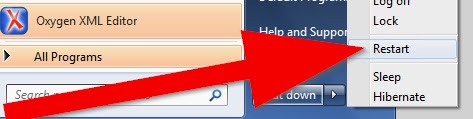
3.Restart your computer, if necessary.
4.Familiarize yourself with your XML editors workspace.
5.Familiarize yourself with user resources associated with your XML editor, such as websites and online user forums.
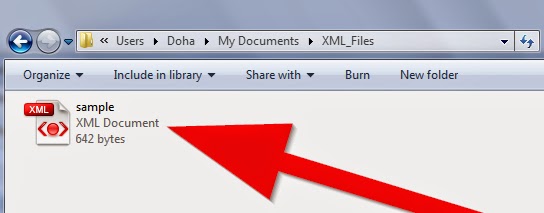
6.Locate the XML file you wish to edit.
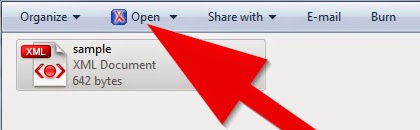
7.Open the file you wish to edit by double clicking the file name. The file will open and display the existing code.
8.Edit your XML file.
9.Review your editing.
- Be sure all XML elements have an opening and closing tag. Keep in mind that XML tags are case sensitive.
- Be sure your XML file contains one root element.
- Be sure the attribute values within your XML file are surrounded by quotation marks. Attributes are items within the XML code that provide further information about an element that is not available elsewhere in the data.
- Be sure all XML elements are properly nested.
10.Correct any errors you discover when reviewing your XML file.
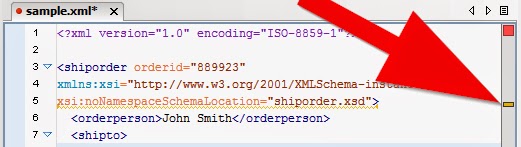
11.Use your XML editors validating tool to validate your XML file. Your XML document will not run if it contains errors.
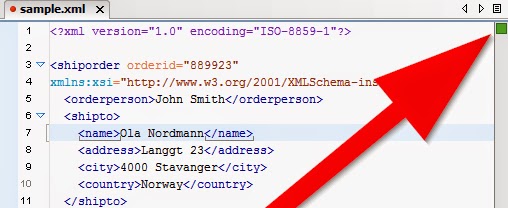
12.Correct any errors identified during file validation.
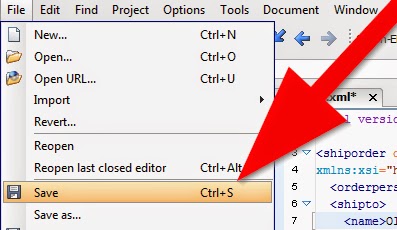
13.Save your newly edited XML file.
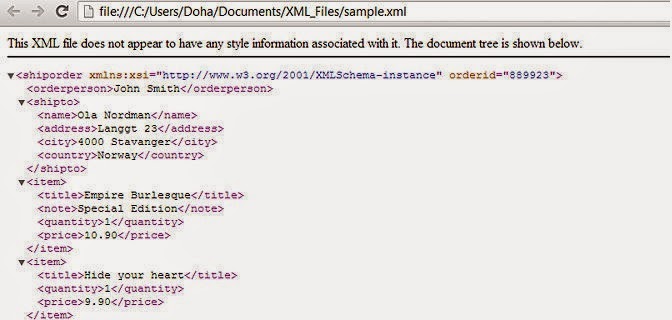
14.View your XML file in a web browser. If your XML file is invalid, it will not display.
Available link for download
Subscribe to:
Posts (Atom)